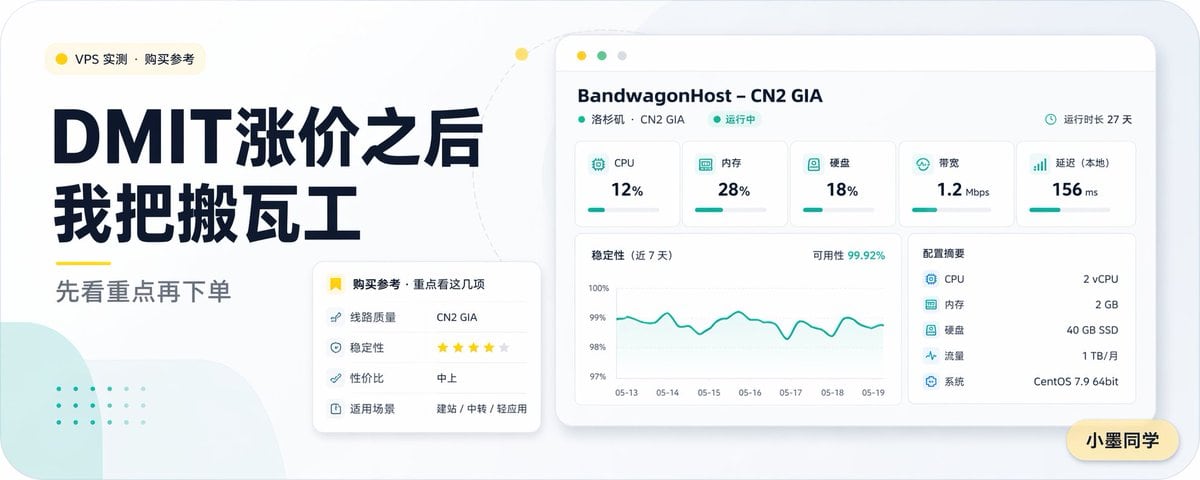
PromptCreate a clean modern Chinese tech blog cover in a wide 16:9 layout with a soft light-gray background, rounded-corner canvas, and minimalist dashboard aesthetic. On the left, place a small rounded category pill near the top with a yellow dot icon and the text “VPS 实测 · 购买参考”. Below it, set a very large bold dark navy Chinese headline in two stacked lines: “DMIT涨价之后” and “我把搬瓦工”. Under the headline, add a short yellow underline accent and then a medium-gray subheading reading “先看重点再下单”. The typography should feel premium, editorial, and highly legible, with strong contrast and generous spacing. On the right, show a floating desktop-app style server monitoring panel with a white card body, subtle shadow, rounded corners, and a pale beige browser top bar with three small circular window buttons. The panel header should read “BandwagonHost – CN2 GIA”, with a smaller line underneath “洛杉矶 · CN2 GIA” and a green status label “运行中”, plus on the top-right a small clock icon and the text “运行时长 27 天”. Inside the panel, include exactly 5 metric cards across the top row labeled “CPU” showing “12%”, “内存” showing “28%”, “硬盘” showing “18%”, “带宽” showing “1.2 Mbps”, and “延迟(本地)” showing “156 ms”, each with a small teal icon and a thin teal progress bar. Below, place a large line chart card on the left titled “稳定性(近 7 天)” with a top-right annotation “可用性 99.92%”, a teal fluctuating line, a vertical scale from 97% to 100%, and date labels from “05-13” through “05-19”. To the right of the chart, add a specs card titled “配置摘要” listing exactly 5 rows: “CPU 2 vCPU”, “内存 2 GB”, “硬盘 40 GB SSD”, “流量 1 TB/月”, and “系统 CentOS 7.9 64bit”. In the lower-left area overlapping between the text block and the dashboard, add a smaller white recommendation card with rounded corners and shadow. Its title line should include a yellow bookmark icon and read “购买参考 · 重点看这几项”. Inside, list exactly 4 rows: “线路质量 CN2 GIA”, “稳定性 ★★★★☆”, “性价比 中上”, and “适用场景 建站 / 中转 / 轻应用”. Add soft decorative elements in the background: a pale mint abstract rounded shape in the bottom-left corner, a faint dotted mint pattern above it, and a light dotted curved connector line arcing from the left text area toward the top of the dashboard, with a small yellow dot on the curve. Place a small rounded yellow name tag in the bottom-right corner of the canvas with the text “小墨同学”. Use a restrained palette of dark navy, teal, yellow, white, and light gray, with crisp vector-style rendering, subtle shadows, spacious composition, and a polished AI-generated editorial cover look for a VPS comparison article.
Prompt structure- Modelgpt-image-2
- Use casesocial-media-post
- Styleeditorial, minimal, luxury
- Aspect ratioFlexible
Best used for- Use casesocial-media-post
- Styleeditorial, minimal, luxury
- Recommended specs1:1, 4:5, 16:9, or 9:16
- ModelGPT Image 2
How to customizeUse this Create A Clean Modern Chinese Tech Blog Cover In A Wide 16 prompt as a base. Replace the subject, product details, environment, lighting, brand colors, and output ratio while keeping the social-media-post intent and editorial, minimal, luxury direction stable.
Editable variables- SubjectReplace the product, person, scene, interface, or object being generated.
- Use caseKeep or rewrite the destination as social media post, ad creative, cover image, poster, or ecommerce hero.
- FrameChoose 1:1, 4:5, 16:9, or 9:16 based on the final placement.
- Brand cuesAdd colors, materials, props, text-safe space, and the platform where the image will be used.
Recommended specsChoose the frame for the destination first, then use 1K, 2K, or 4K based on output quality needs. Product images and posters usually benefit from higher resolution.
Pre-generation checklist- CheckSubject, lighting, composition, and frame are specific enough to review.
- CheckText-safe space is included when the image will carry a headline or ad copy.
- CheckResolution, credit cost, and final destination are checked before generation.
Why this prompt worksCreate A Clean Modern Chinese Tech Blog Cover In A Wide 16 works because it starts from the image job, then controls subject, composition, lighting, style, and frame. It is best for social media post while keeping the editorial, minimal, luxury direction stable.
Common questions- Can I use it directly?Yes. Replace the subject, brand cues, and frame, then generate in Image2Studio.
- Which ratio should I use?Choose 1:1, 4:5, 16:9, or 9:16 based on the destination.