
Image2Studio
Examples

gpt-image-2

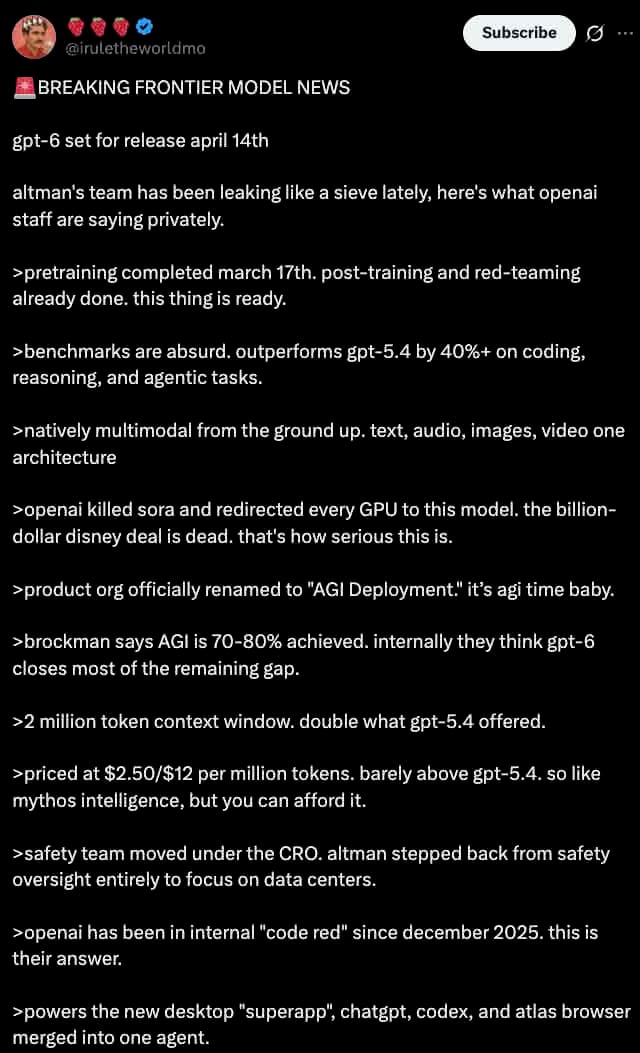
Dark Mode Screenshot Of An X Post

A dark mode screenshot of an X post. The profile features a man with a mustache in a red shirt and crown, username @iruletheworldmo with three strawberry emojis and a blue checkmark. Top...

A dark mode screenshot of an X post. The profile features a man with a mustache in a red shirt and crown, username @iruletheworldmo with three strawberry emojis and a blue checkmark. Top...
Prompt

A dark mode screenshot of an X post. The profile features a man with a mustache in a red shirt and crown, username {argument name="username" default="@iruletheworldmo"} with three strawberry emojis and a blue checkmark. Top right has a "Subscribe" button. The tweet text begins with {argument name="headline" default="🚨 BREAKING FRONTIER MODEL NEWS"} followed by {argument name="subheadline" default="gpt-6 set for release april 14th"} and a short intro about OpenAI leaks. Below are exactly 11 bullet points, each starting with a `>` symbol, detailing {argument name="bullet point topic" default="fictional AI model specs"} such as pretraining dates, outperforming gpt-5.4, native multimodality, killing Sora, renaming to "AGI Deployment", 2 million token context, pricing, safety team changes, a 2025 code red, and a new desktop superapp. The text is white on a black background in a standard sans-serif UI font.

Prompt structure
  • Modelgpt-image-2
  • Use casesocial-media-post
  • Styleprompt-defined style
  • Aspect ratioFlexible
Best used for
  • Use casesocial-media-post
  • Styleprompt-defined style
  • Recommended specs1:1, 4:5, 16:9, or 9:16
  • ModelGPT Image 2
How to customize

Use this Dark Mode Screenshot Of An X Post prompt as a base. Replace the subject, product details, environment, lighting, brand colors, and output ratio while keeping the social-media-post intent and the visual style direction stable.

Editable variables
  • SubjectReplace the product, person, scene, interface, or object being generated.
  • Use caseKeep or rewrite the destination as social media post, ad creative, cover image, poster, or ecommerce hero.
  • FrameChoose 1:1, 4:5, 16:9, or 9:16 based on the final placement.
  • Brand cuesAdd colors, materials, props, text-safe space, and the platform where the image will be used.
Recommended specs

Choose the frame for the destination first, then use 1K, 2K, or 4K based on output quality needs. Product images and posters usually benefit from higher resolution.

Pre-generation checklist
  • CheckSubject, lighting, composition, and frame are specific enough to review.
  • CheckText-safe space is included when the image will carry a headline or ad copy.
  • CheckResolution, credit cost, and final destination are checked before generation.
Why this prompt works

Dark Mode Screenshot Of An X Post works because it starts from the image job, then controls subject, composition, lighting, style, and frame. It is best for social media post while keeping the prompt-defined style direction stable.

Common questions
  • Can I use it directly?Yes. Replace the subject, brand cues, and frame, then generate in Image2Studio.
  • Which ratio should I use?Choose 1:1, 4:5, 16:9, or 9:16 based on the destination.




