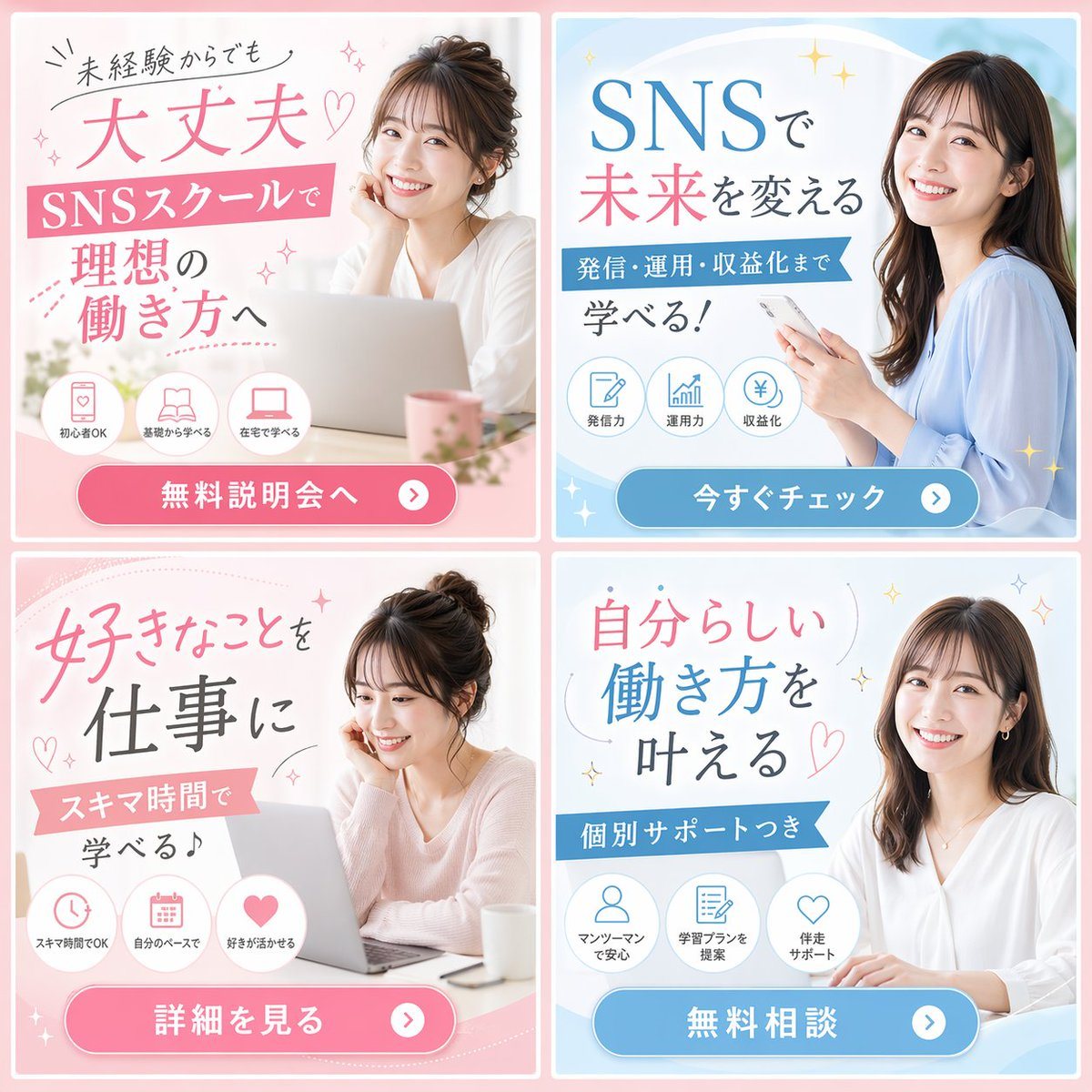
Prompt{
"type": "2x2 banner ad grid",
"theme": "{argument name=\"school type\" default=\"SNSスクール\"}",
"demographic": "{argument name=\"model demographic\" default=\"young Japanese women\"}",
"color_palette": "{argument name=\"primary color theme\" default=\"pink and light blue\"}",
"layout": {
"panels": [
{
"position": "top-left",
"color": "pink",
"subject": "woman with hair up, resting chin on hand, laptop",
"headline": "{argument name=\"top left headline\" default=\"未経験からでも 大丈夫♡\"}",
"subheadline": "SNSスクールで 理想の働き方へ",
"icon_count": 3,
"icon_labels": ["初心者OK", "基礎から学べる", "在宅で学べる"],
"cta_button": "無料説明会へ >"
},
{
"position": "top-right",
"color": "light blue",
"subject": "woman with long dark hair, holding smartphone",
"headline": "{argument name=\"top right headline\" default=\"SNSで 未来を変える\"}",
"subheadline": "発信・運用・収益化まで 学べる!",
"icon_count": 3,
"icon_labels": ["発信力", "運用力", "収益化"],
"cta_button": "今すぐチェック >"
},
{
"position": "bottom-left",
"color": "pink",
"subject": "woman with hair up, looking down at laptop",
"headline": "好きなことを 仕事に",
"subheadline": "スキマ時間で 学べる♪",
"icon_count": 3,
"icon_labels": ["スキマ時間でOK", "自分のペースで", "好きが活かせる"],
"cta_button": "詳細を見る >"
},
{
"position": "bottom-right",
"color": "light blue",
"subject": "woman with long dark hair, white blouse, hands on desk",
"headline": "自分らしい 働き方を 叶える♡",
"subheadline": "個別サポートつき",
"icon_count": 3,
"icon_labels": ["マンツーマンで安心", "学習プランを提案", "伴走サポート"],
"cta_button": "無料相談 >"
}
]
}
}
Prompt structure- Modelgpt-image-2
- Use casesocial-media-post
- Stylephotorealistic, editorial
- Aspect ratioFlexible
Best used for- Use casesocial-media-post
- Stylephotorealistic, editorial
- Recommended specs1:1, 4:5, 16:9, or 9:16
- ModelGPT Image 2
How to customizeUse this 2x2 Social Media School Banner Ad Grid prompt as a base. Replace the subject, product details, environment, lighting, brand colors, and output ratio while keeping the social-media-post intent and photorealistic, editorial direction stable.
Editable variables- SubjectReplace the product, person, scene, interface, or object being generated.
- Use caseKeep or rewrite the destination as social media post, ad creative, cover image, poster, or ecommerce hero.
- FrameChoose 1:1, 4:5, 16:9, or 9:16 based on the final placement.
- Brand cuesAdd colors, materials, props, text-safe space, and the platform where the image will be used.
Recommended specsChoose the frame for the destination first, then use 1K, 2K, or 4K based on output quality needs. Product images and posters usually benefit from higher resolution.
Pre-generation checklist- CheckSubject, lighting, composition, and frame are specific enough to review.
- CheckText-safe space is included when the image will carry a headline or ad copy.
- CheckResolution, credit cost, and final destination are checked before generation.
Why this prompt works2x2 Social Media School Banner Ad Grid works because it starts from the image job, then controls subject, composition, lighting, style, and frame. It is best for social media post while keeping the photorealistic, editorial direction stable.
Common questions- Can I use it directly?Yes. Replace the subject, brand cues, and frame, then generate in Image2Studio.
- Which ratio should I use?Choose 1:1, 4:5, 16:9, or 9:16 based on the destination.