
Image2Studio
Prompts

gpt-image-2

Photograph Of An Open Notebook

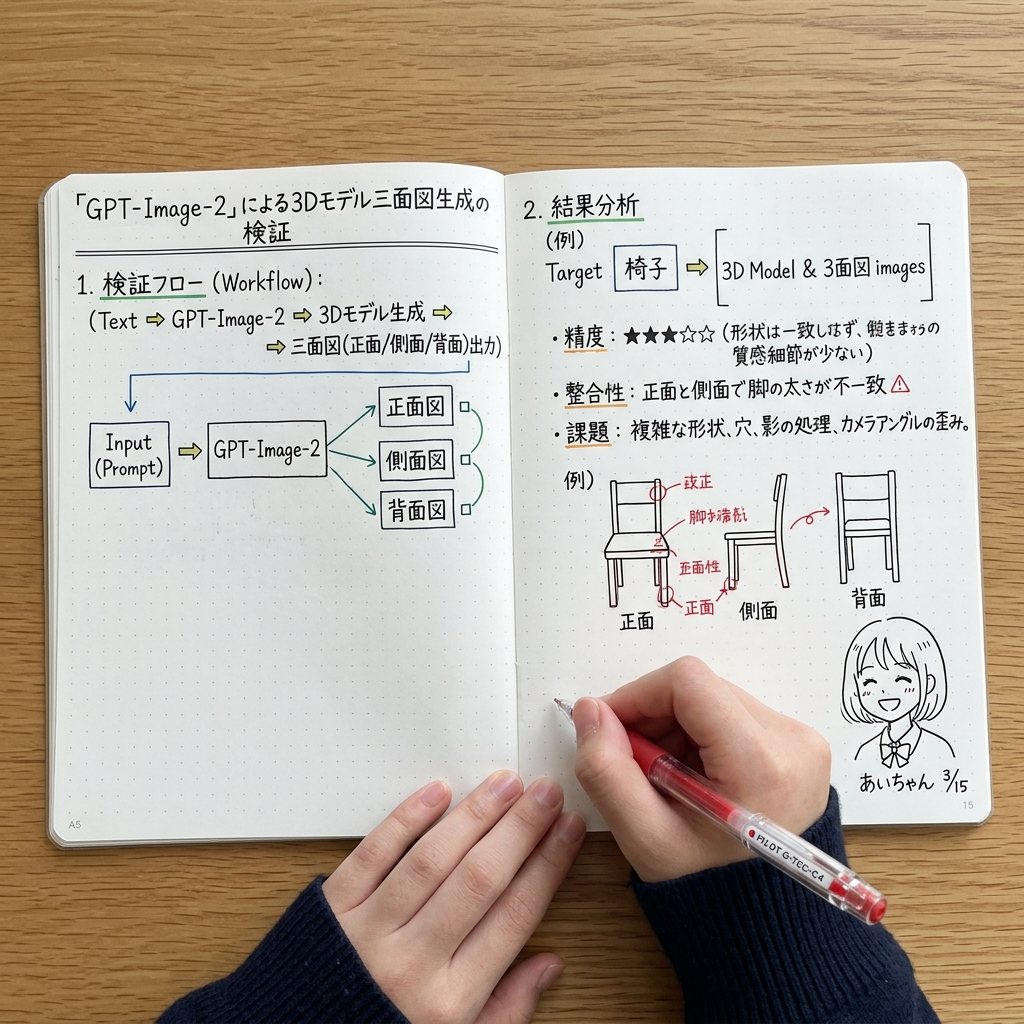
Structured photograph of an open notebook prompt for GPT Image 2.

Structured photograph of an open notebook prompt for GPT Image 2.
Prompt

{ "type": "photograph of an open notebook", "setting": "wooden desk surface, top-down angle", "subject": { "hands": "two hands visible at the bottom, wearing a dark blue ribbed sweater, right hand holding a red pen labeled {argument name=\"pen brand\" default=\"PILOT G-TEC-C4\"} writing on the page", "notebook": "open A5 dot-grid notebook with handwritten notes and diagrams in black, blue, green, and red ink" }, "layout": { "left_page": { "header": "{argument name=\"main title\" default=\"「GPT-Image-2」による3Dモデル三面図生成の検証\"}", "sections": [ { "title": "1. 検証フロー (Workflow):", "content": "text flow and a flowchart diagram", "flowchart_elements": 5, "flowchart_labels": ["Input (Prompt)", "GPT-Image-2", "正面図", "側面図", "背面図"] } ] }, "right_page": { "sections": [ { "title": "2. 結果分析", "target_box": "Target [{argument name=\"target object\" default=\"椅子\"}] => [3D Model & 3面図 images]", "bullet_points_count": 3, "bullet_point_topics": ["精度: ★★★☆☆", "整合性", "課題"], "diagram_count": 3, "diagram_labels": ["正面", "側面", "背面"], "diagram_description": "sketches of chairs with red correction notes on the front view" } ], "bottom_right_corner": { "doodle": "cute anime-style line drawing of a smiling girl with short hair", "label": "{argument name=\"character name\" default=\"あいちゃん\"} {argument name=\"date\" default=\"3/15\"}" } } } }

Prompt structure
  • Modelgpt-image-2
  • Use casesocial-media-post
  • Style3d-render, photorealistic, anime, editorial
  • Aspect ratioFlexible
Best used for
  • Use casesocial-media-post
  • Style3d-render, photorealistic, anime, editorial
  • Recommended specs1:1, 4:5, 16:9, or 9:16
  • ModelGPT Image 2
How to customize

Use this Photograph Of An Open Notebook prompt as a base. Replace the subject, product details, environment, lighting, brand colors, and output ratio while keeping the social-media-post intent and 3d-render, photorealistic, anime, editorial direction stable.

Editable variables
  • SubjectReplace the product, person, scene, interface, or object being generated.
  • Use caseKeep or rewrite the destination as social media post, ad creative, cover image, poster, or ecommerce hero.
  • FrameChoose 1:1, 4:5, 16:9, or 9:16 based on the final placement.
  • Brand cuesAdd colors, materials, props, text-safe space, and the platform where the image will be used.
Recommended specs

Choose the frame for the destination first, then use 1K, 2K, or 4K based on output quality needs. Product images and posters usually benefit from higher resolution.

Pre-generation checklist
  • CheckSubject, lighting, composition, and frame are specific enough to review.
  • CheckText-safe space is included when the image will carry a headline or ad copy.
  • CheckResolution, credit cost, and final destination are checked before generation.
Why this prompt works

Photograph Of An Open Notebook works because it starts from the image job, then controls subject, composition, lighting, style, and frame. It is best for social media post while keeping the 3d-render, photorealistic, anime, editorial direction stable.

Common questions
  • Can I use it directly?Yes. Replace the subject, brand cues, and frame, then generate in Image2Studio.
  • Which ratio should I use?Choose 1:1, 4:5, 16:9, or 9:16 based on the destination.




