
Image2Studio
Prompts

gpt-image-2

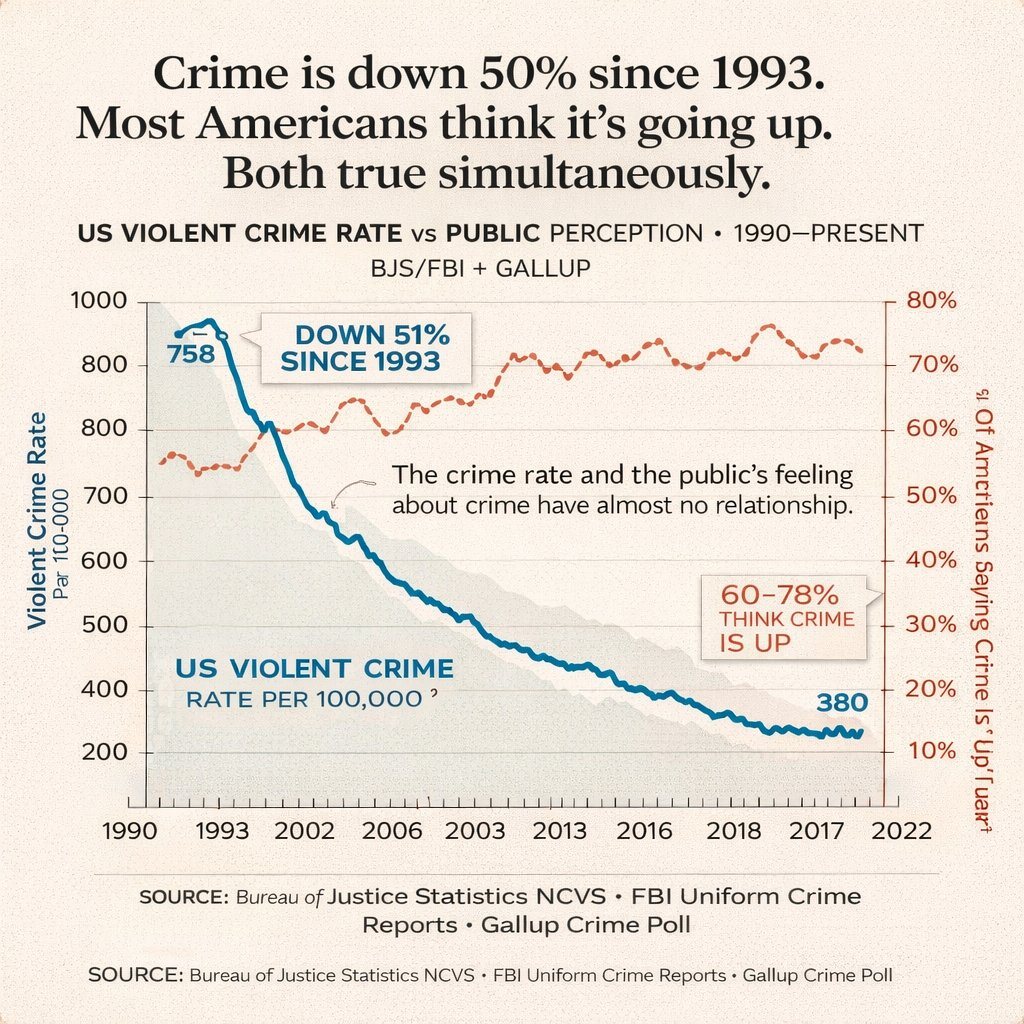
Dual-axis Line Chart Infographic

Structured dual-axis line chart infographic prompt for GPT Image 2.

Structured dual-axis line chart infographic prompt for GPT Image 2.
Prompt

{ "type": "dual-axis line chart infographic", "style": "editorial data visualization, matte paper texture background, clean journalistic design", "typography": { "headline": "serif font, bold, centered", "labels": "sans-serif, clean, uppercase and sentence case mix" }, "layout": { "header": { "main_title": "{argument name=\"main headline\" default=\"Crime is down 50% since 1993. Most Americans think it's going up. Both true simultaneously.\"}", "subtitle": "US VIOLENT CRIME RATE vs PUBLIC PERCEPTION • 1990–PRESENT BJS/FBI + GALLUP" }, "chart_area": { "background": "light beige with faint horizontal grid lines", "axes": { "x_axis": { "label": "Years", "ticks": ["1990", "1993", "2002", "2006", "2003", "2013", "2016", "2018", "2017", "2022"] }, "y_axis_left": { "label": "{argument name=\"left axis label\" default=\"Violent Crime Rate Par 100-000\"}", "scale": ["200", "400", "500", "600", "700", "800", "800", "1000"], "color": "black" }, "y_axis_right": { "label": "{argument name=\"right axis label\" default=\"% Of Americans Saying Crime Is 'Up'\"}", "scale": ["10%", "20%", "30%", "40%", "50%", "60%", "70%", "80%"], "color": "dark red" } }, "data_series": [ { "name": "Violent Crime Rate", "style": "thick solid blue line with light grey shading underneath", "trend": "starts high, drops sharply, then steadily declines", "data_labels": ["758", "380"] }, { "name": "Public Perception", "style": "dashed dark red/orange line with small circle markers", "trend": "fluctuates but generally trends upwards, staying high" } ], "annotations": [ { "text": "{argument name=\"blue line annotation\" default=\"DOWN 51% SINCE 1993\"}", "style": "callout box with pointer, blue text", "position": "top left, pointing to the blue line drop" }, { "text": "60-78% THINK CRIME IS UP", "style": "callout box with pointer, red text", "position": "mid right, pointing to the dashed red line" }, { "text": "{argument name=\"center insight text\" default=\"The crime rate and the public's feeling about crime have almost no relationship.\"}", "style": "floating text with a small squiggly arrow", "position": "center, between the two lines" } ] }, "footer": { "source_text": "SOURCE: Bureau of Justice Statistics NCVS • FBI Uniform Crime Reports • Gallup Crime Poll", "repetition": "text is repeated twice at the bottom" } } }

Prompt structure
  • Modelgpt-image-2
  • Use casesocial-media-post
  • Styleeditorial, minimal
  • Aspect ratioFlexible
Best used for
  • Use casesocial-media-post
  • Styleeditorial, minimal
  • Recommended specs1:1, 4:5, 16:9, or 9:16
  • ModelGPT Image 2
How to customize

Use this Dual-axis Line Chart Infographic prompt as a base. Replace the subject, product details, environment, lighting, brand colors, and output ratio while keeping the social-media-post intent and editorial, minimal direction stable.

Editable variables
  • SubjectReplace the product, person, scene, interface, or object being generated.
  • Use caseKeep or rewrite the destination as social media post, ad creative, cover image, poster, or ecommerce hero.
  • FrameChoose 1:1, 4:5, 16:9, or 9:16 based on the final placement.
  • Brand cuesAdd colors, materials, props, text-safe space, and the platform where the image will be used.
Recommended specs

Choose the frame for the destination first, then use 1K, 2K, or 4K based on output quality needs. Product images and posters usually benefit from higher resolution.

Pre-generation checklist
  • CheckSubject, lighting, composition, and frame are specific enough to review.
  • CheckText-safe space is included when the image will carry a headline or ad copy.
  • CheckResolution, credit cost, and final destination are checked before generation.
Why this prompt works

Dual-axis Line Chart Infographic works because it starts from the image job, then controls subject, composition, lighting, style, and frame. It is best for social media post while keeping the editorial, minimal direction stable.

Common questions
  • Can I use it directly?Yes. Replace the subject, brand cues, and frame, then generate in Image2Studio.
  • Which ratio should I use?Choose 1:1, 4:5, 16:9, or 9:16 based on the destination.




