
Image2Studio
Examples

gpt-image-2

Japanese Presentation Slide

Ready-to-edit Japanese presentation slide image prompt.

Ready-to-edit Japanese presentation slide image prompt.
Prompt

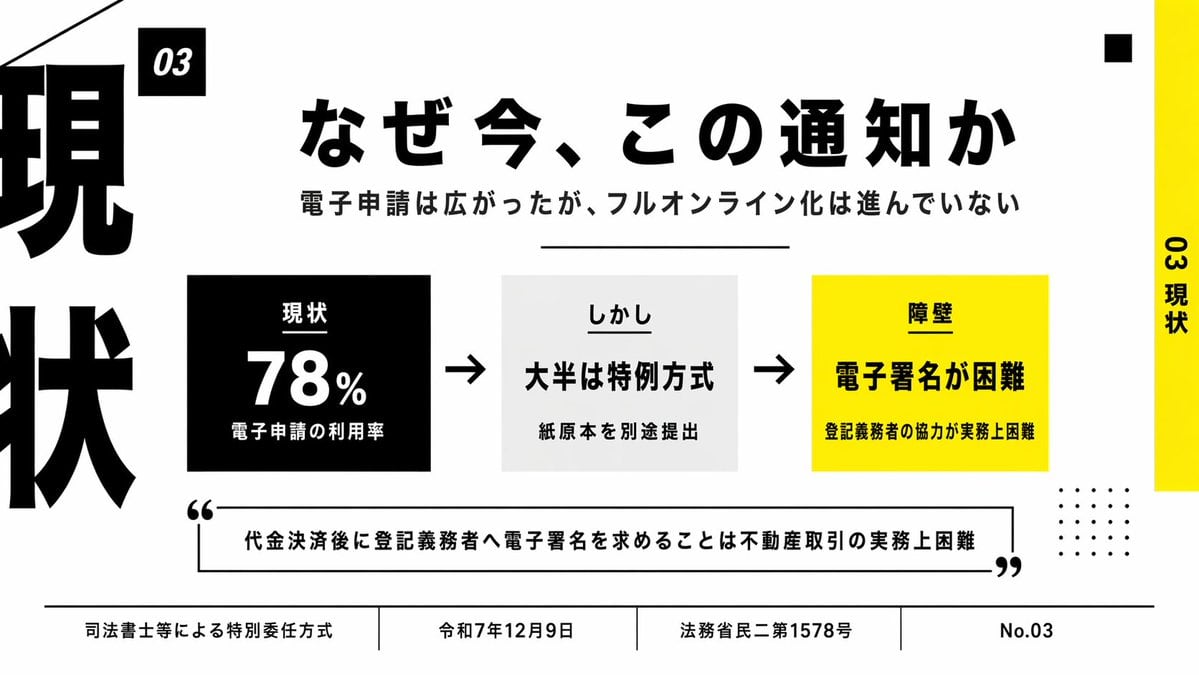
{"type":"Japanese presentation slide","style":"minimal editorial business infographic, bold typographic layout, high-contrast black white and yellow palette, clean grid, lots of negative space, sharp vector text and shapes","canvas":{"aspect_ratio":"16:9","background":"light gray"},"headline":{"text":"{argument name=\"headline text\" default=\"なぜ今、この通知か\"}","position":"upper center","font":"extra bold Japanese sans-serif","color":"black","size":"very large"},"subheadline":{"text":"電子申請は広がったが、フルオンライン化は進んでいない","position":"below headline","font":"bold Japanese sans-serif","color":"black","size":"medium"},"layout":{"sections":[{"title":"03","position":"small black tag near upper left of main content","count":1,"labels":["03"]},{"title":"main process row","position":"center","count":3,"labels":["現状","しかし","障壁"]},{"title":"bottom footer","position":"bottom full width","count":4,"labels":["司法書士等による特別委任方式","令和7年12月9日","法務省民二第1578号","No.03"]}],"decorations":{"left_edge":"oversized cropped vertical kanji typography in black running off the left side, showing parts of 現 and 状","right_edge":"vertical yellow bar on the far right with rotated black text 03 現状","top_right":"1 small black square","bottom_right":"4 by 5 grid of small black dots","top_left":"thin diagonal black line entering from the top left corner","divider_under_subheadline":"1 thin horizontal black line"}},"center_graphic":{"items":[{"kind":"stat box","count":1,"background":"black","text_lines":["現状","78%","電子申請の利用率"],"text_color":"white","position":"left of center"},{"kind":"arrow","count":2,"color":"black","positions":["between first and second box","between second and third box"]},{"kind":"statement box","count":1,"background":"very light gray","text_lines":["しかし","大半は特例方式","紙原本を別途提出出"],"text_color":"black","position":"center"},{"kind":"barrier box","count":1,"background":"bright yellow","text_lines":["障壁","電子署名が困難","登記義務者の協力が実務上困難"],"text_color":"black","position":"right of center"}]},"quote":{"count":1,"text":"{argument name=\"quote\" default=\"代金決済後に登記義務者へ電子署名を求めることは不動産取引の実務上困難\"}","position":"lower middle inside outlined rectangle with oversized opening and closing quotation marks","style":"bold Japanese sans-serif, black text, black border"},"colors":{"black":"#000000","white":"#FFFFFF","light_gray":"#F2F2F2","yellow":"#FFF200"},"rendering":"flat slide design, precise typography, presentation-ready corporate layout, Japanese text rendered cleanly and legibly"}

Prompt structure
  • Modelgpt-image-2
  • Use casesocial-media-post
  • Styleminimal, editorial
  • Aspect ratioFlexible
Best used for
  • Use casesocial-media-post
  • Styleminimal, editorial
  • Recommended specs1:1, 4:5, 16:9, or 9:16
  • ModelGPT Image 2
How to customize

Use this Japanese Presentation Slide prompt as a base. Replace the subject, product details, environment, lighting, brand colors, and output ratio while keeping the social-media-post intent and minimal, editorial direction stable.

Editable variables
  • SubjectReplace the product, person, scene, interface, or object being generated.
  • Use caseKeep or rewrite the destination as social media post, ad creative, cover image, poster, or ecommerce hero.
  • FrameChoose 1:1, 4:5, 16:9, or 9:16 based on the final placement.
  • Brand cuesAdd colors, materials, props, text-safe space, and the platform where the image will be used.
Recommended specs

Choose the frame for the destination first, then use 1K, 2K, or 4K based on output quality needs. Product images and posters usually benefit from higher resolution.

Pre-generation checklist
  • CheckSubject, lighting, composition, and frame are specific enough to review.
  • CheckText-safe space is included when the image will carry a headline or ad copy.
  • CheckResolution, credit cost, and final destination are checked before generation.
Why this prompt works

Japanese Presentation Slide works because it starts from the image job, then controls subject, composition, lighting, style, and frame. It is best for social media post while keeping the minimal, editorial direction stable.

Common questions
  • Can I use it directly?Yes. Replace the subject, brand cues, and frame, then generate in Image2Studio.
  • Which ratio should I use?Choose 1:1, 4:5, 16:9, or 9:16 based on the destination.




