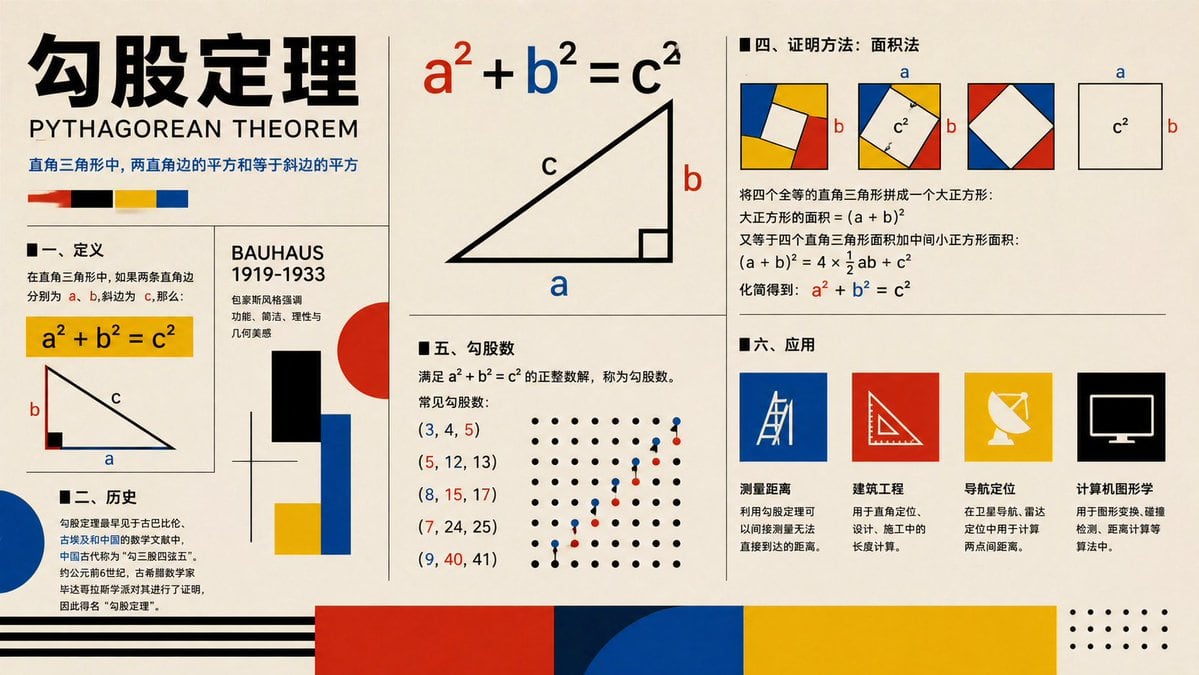
Prompt{"type":"educational infographic poster","topic":"{argument name=\"topic\" default=\"勾股定理\"}","subtitle":"PYTHAGOREAN THEOREM","style":"Bauhaus-inspired mathematical explainer poster, clean editorial grid, cream paper background, bold black typography, primary color palette of red, blue, yellow, black, geometric accents, vector shapes, high-contrast print design","canvas":{"orientation":"landscape","aspect_ratio":"16:9"},"layout":{"grid":"multi-panel poster with thin black dividers","sections":[{"title":"header","position":"top-left spanning two rows","count":4,"labels":["large Chinese title","English subtitle","one-line Chinese theorem summary","4 color swatches"]},{"title":"一、定义","position":"left-center","count":3,"labels":["section heading","yellow formula box a² + b² = c²","right-triangle diagram labeled a b c"]},{"title":"二、历史","position":"bottom-left","count":3,"labels":["section heading","Chinese history paragraph","large blue semicircle accent"]},{"title":"BAUHAUS 1919-1933","position":"center-left vertical panel","count":6,"labels":["panel title","3 short Chinese descriptive lines","black rectangle","red circle with blue and yellow blocks"]},{"title":"main theorem diagram","position":"top-center","count":3,"labels":["large formula a² + b² = c² with a in red b in blue c in black","large right triangle","labels a b c on triangle"]},{"title":"四、证明方法:面积法","position":"top-right","count":4,"labels":["section heading","3 square dissection diagrams with colored corner triangles and central white square","1 separate c² square diagram with a and b side labels","Chinese proof text with final formula a² + b² = c² highlighted in red and blue"]},{"title":"五、勾股数","position":"center-bottom","count":7,"labels":["section heading","definition text","(3, 4, 5)","(5, 12, 13)","(8, 15, 17)","(7, 24, 25)","(9, 40, 41)"]},{"title":"dot lattice illustration","position":"right side of Pythagorean triples section","count":2,"labels":["black dot grid","ascending red and blue point pattern"]},{"title":"六、应用","position":"bottom-right","count":5,"labels":["section heading","测量距离","建筑工程","导航定位","计算机图形学"]},{"title":"application icons","position":"bottom-right row","count":4,"labels":["blue square with measuring tool line icon","red square with triangle ruler icon","yellow square with satellite dish icon","black square with computer monitor icon"]},{"title":"footer decorations","position":"bottom edge","count":4,"labels":["black horizontal stripes on left","large red block","large blue semicircle overlapping dark blue block","large yellow block with dotted corner motif on far right"]}]},"typography":{"title_style":"extra bold oversized Chinese characters in black","subtitle_style":"uppercase sans serif","body_style":"clean sans serif Chinese text, neatly aligned columns"},"colors":{"background":"warm cream","primary":["black","red","blue","yellow"],"formula_emphasis":{"a":"red","b":"blue","c":"black"}},"rendering":"flat vector infographic, crisp lines, print-poster aesthetic, balanced negative space, museum graphic design feel"}