
Image2Studio
Examples

gpt-image-2

Using REFERENCE_0 As The Source Geography And Urban Layout

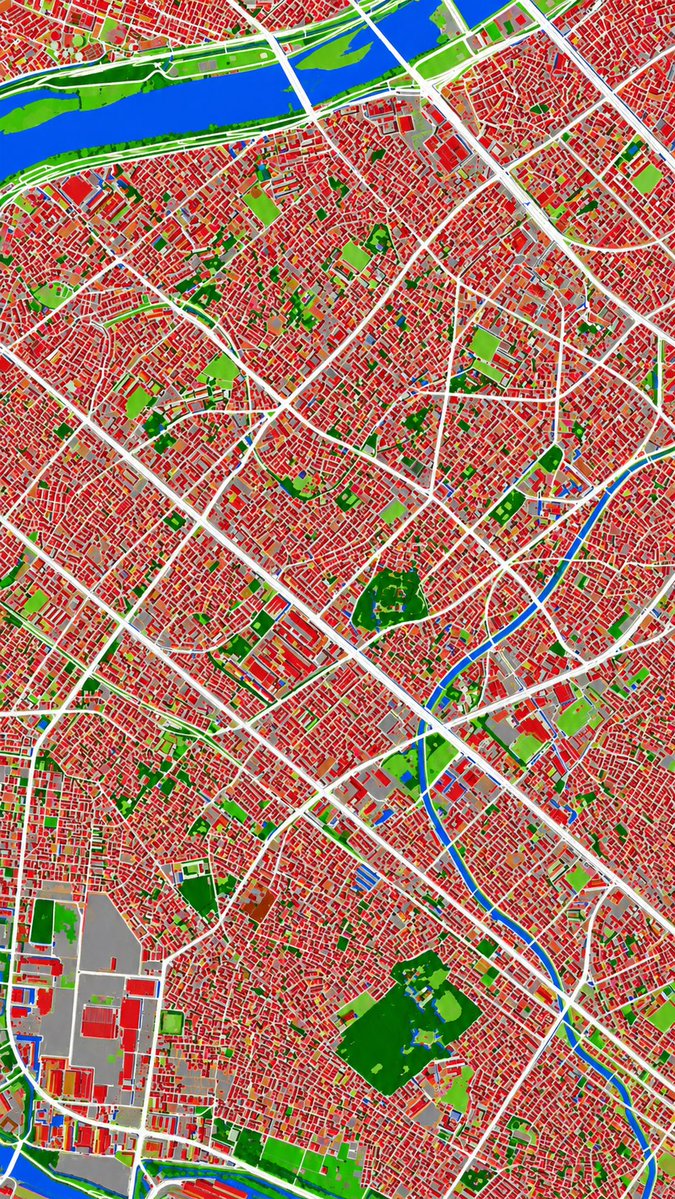
Using REFERENCE_0 as the source geography and urban layout, transform the monochrome historical aerial photo into a clean land-cover classification map using the false-color visual langua...

Using REFERENCE_0 as the source geography and urban layout, transform the monochrome historical aerial photo into a clean land-cover classification map using the false-color visual langua...
Prompt

Using REFERENCE_0 as the source geography and urban layout, transform the monochrome historical aerial photo into a clean land-cover classification map using the false-color visual language implied by REFERENCE_1. Keep the same top-down viewpoint and street/block structure, but replace photographic texture with flat segmented regions and crisp boundaries. Classify the scene into exactly 6 visual categories: 1) buildings as red, 2) roads and major paved corridors as white, 3) water bodies and canals as blue, 4) dense vegetation/parks as dark green, 5) open grass or sparse green areas as light green, and 6) industrial or large paved/open facility areas as gray. Produce a dense urban thematic map with strong contrast, minimal shading, and no labels, legends, borders, or photographic film markings.

Prompt structure
  • Modelgpt-image-2
  • Use casesocial-media-post
  • Styleminimal, cinematic, photorealistic, editorial
  • Aspect ratioFlexible
Best used for
  • Use casesocial-media-post
  • Styleminimal, cinematic, photorealistic, editorial
  • Recommended specs1:1, 4:5, 16:9, or 9:16
  • ModelGPT Image 2
How to customize

Use this Using REFERENCE_0 As The Source Geography And Urban Layout prompt as a base. Replace the subject, product details, environment, lighting, brand colors, and output ratio while keeping the social-media-post intent and minimal, cinematic, photorealistic, editorial direction stable.

Editable variables
  • SubjectReplace the product, person, scene, interface, or object being generated.
  • Use caseKeep or rewrite the destination as social media post, ad creative, cover image, poster, or ecommerce hero.
  • FrameChoose 1:1, 4:5, 16:9, or 9:16 based on the final placement.
  • Brand cuesAdd colors, materials, props, text-safe space, and the platform where the image will be used.
Recommended specs

Choose the frame for the destination first, then use 1K, 2K, or 4K based on output quality needs. Product images and posters usually benefit from higher resolution.

Pre-generation checklist
  • CheckSubject, lighting, composition, and frame are specific enough to review.
  • CheckText-safe space is included when the image will carry a headline or ad copy.
  • CheckResolution, credit cost, and final destination are checked before generation.
Why this prompt works

Using REFERENCE_0 As The Source Geography And Urban Layout works because it starts from the image job, then controls subject, composition, lighting, style, and frame. It is best for social media post while keeping the minimal, cinematic, photorealistic, editorial direction stable.

Common questions
  • Can I use it directly?Yes. Replace the subject, brand cues, and frame, then generate in Image2Studio.
  • Which ratio should I use?Choose 1:1, 4:5, 16:9, or 9:16 based on the destination.




