
Image2Studio
Examples

gpt-image-2

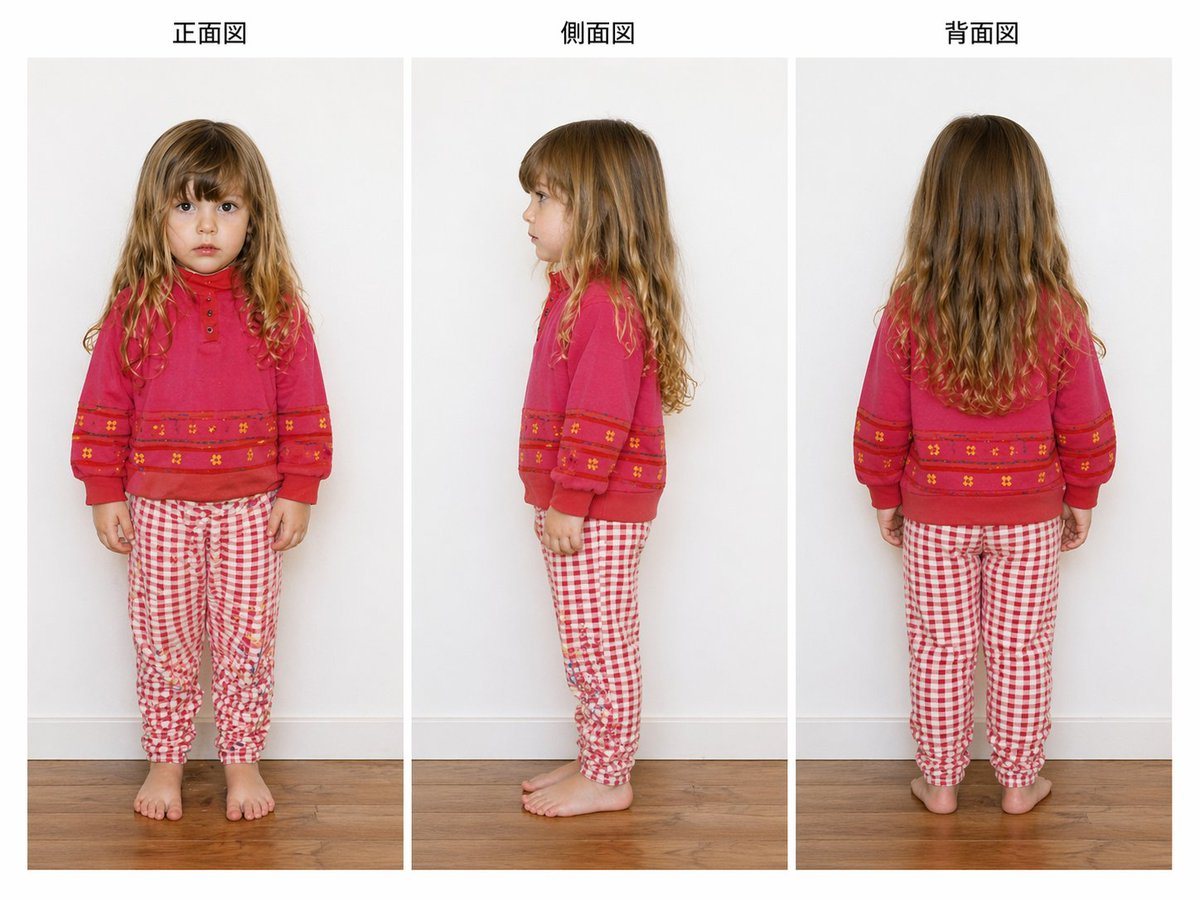
Children's Clothing Reference Sheet

Ready-to-edit children's clothing reference sheet image prompt.

Ready-to-edit children's clothing reference sheet image prompt.
Prompt

{"type":"children's clothing reference sheet","style":"clean studio fashion documentation photo","subject":{"person":"young girl","age_appearance":"approximately 5 to 7 years old","face":"anonymized with a soft rectangular blur covering the face in the front and side views","hair":{"color":"light brown to dark blonde","style":"long loose wavy hair with a center part, slightly curlier toward the ends"},"pose_set":"standing naturally with arms relaxed"},"outfit":{"top":{"type":"sweatshirt","color":"bright pink-red","details":["crew neckline","long sleeves with cuffed wrists","small button placket at upper chest","horizontal decorative bands across lower chest and sleeves","tiny floral motifs within the bands"]},"bottom":{"type":"pants","color":"red and white","pattern":"small gingham check","fit":"slim jogger-style pajama or lounge pants with gathered ankles"},"footwear":"barefoot"},"layout":{"background":"plain light gray indoor wall with white baseboard and warm medium-tone wooden floor","sections":[{"title":"正面図","position":"left","count":1,"labels":["front view"]},{"title":"側面図","position":"center","count":1,"labels":["side view"]},{"title":"背面図","position":"right","count":1,"labels":["back view"]}],"figure_count":3,"composition":"three evenly spaced full-body photos arranged in vertical panels across a landscape canvas","view_details":{"left":"full frontal standing view","center":"left-facing side profile standing view","right":"full back standing view"}},"image_quality":{"lighting":"soft even studio lighting with minimal shadows","camera":"straight-on eye-level fashion catalog framing","render_intent":"accurate apparel and body-view documentation, similar to a garment fitting or model extraction reference image"}}

Prompt structure
  • Modelgpt-image-2
  • Use casesocial-media-post
  • Stylephotorealistic, minimal, editorial
  • Aspect ratioFlexible
Best used for
  • Use casesocial-media-post
  • Stylephotorealistic, minimal, editorial
  • Recommended specs1:1, 4:5, 16:9, or 9:16
  • ModelGPT Image 2
How to customize

Use this Children's Clothing Reference Sheet prompt as a base. Replace the subject, product details, environment, lighting, brand colors, and output ratio while keeping the social-media-post intent and photorealistic, minimal, editorial direction stable.

Editable variables
  • SubjectReplace the product, person, scene, interface, or object being generated.
  • Use caseKeep or rewrite the destination as social media post, ad creative, cover image, poster, or ecommerce hero.
  • FrameChoose 1:1, 4:5, 16:9, or 9:16 based on the final placement.
  • Brand cuesAdd colors, materials, props, text-safe space, and the platform where the image will be used.
Recommended specs

Choose the frame for the destination first, then use 1K, 2K, or 4K based on output quality needs. Product images and posters usually benefit from higher resolution.

Pre-generation checklist
  • CheckSubject, lighting, composition, and frame are specific enough to review.
  • CheckText-safe space is included when the image will carry a headline or ad copy.
  • CheckResolution, credit cost, and final destination are checked before generation.
Why this prompt works

Children's Clothing Reference Sheet works because it starts from the image job, then controls subject, composition, lighting, style, and frame. It is best for social media post while keeping the photorealistic, minimal, editorial direction stable.

Common questions
  • Can I use it directly?Yes. Replace the subject, brand cues, and frame, then generate in Image2Studio.
  • Which ratio should I use?Choose 1:1, 4:5, 16:9, or 9:16 based on the destination.




