
Image2Studio
Examples

gpt-image-2

Using REFERENCE_0 As The Base Image

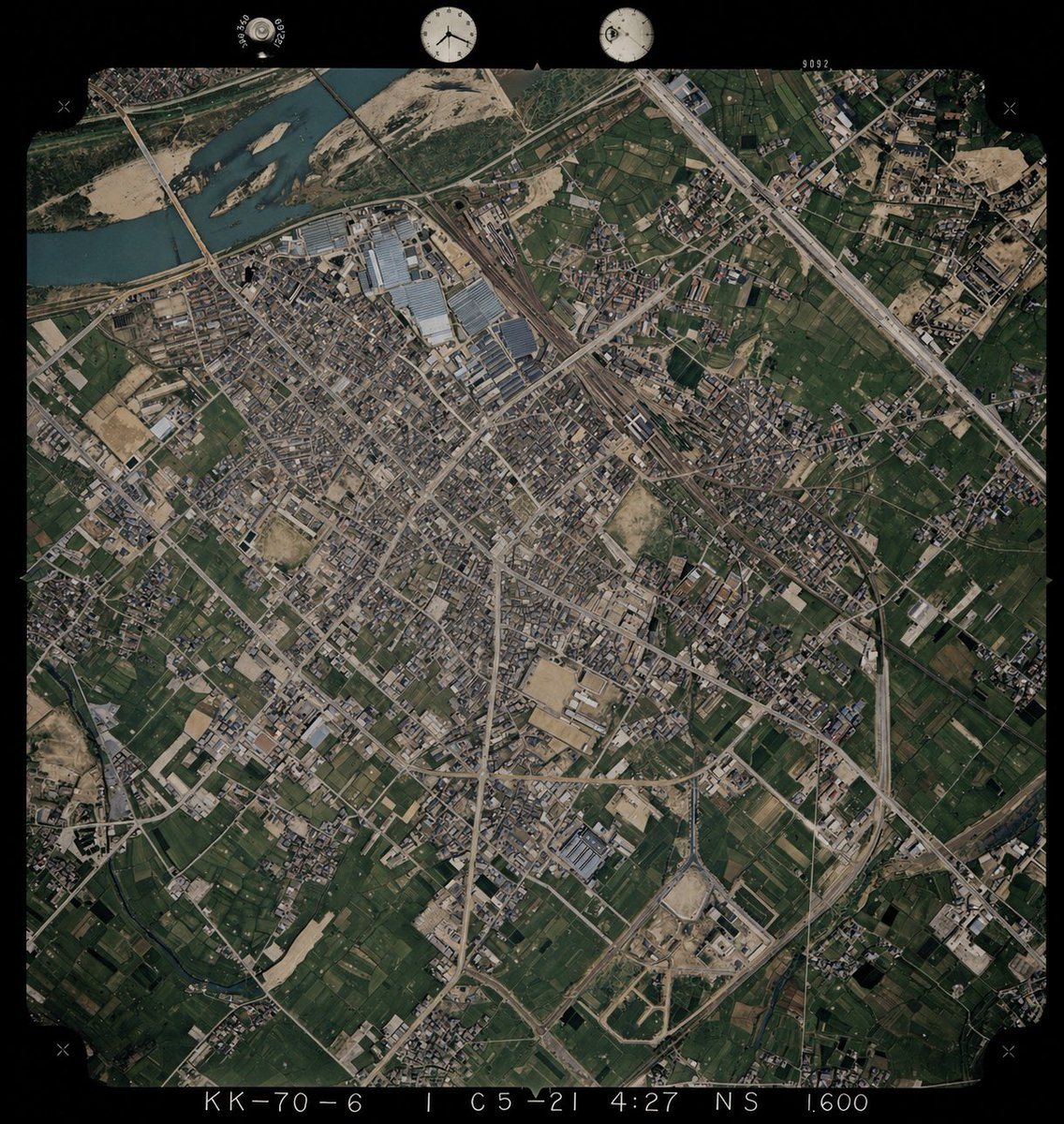
Using REFERENCE_0 as the base image, colorize the monochrome historical aerial photograph while preserving the exact original framing, angle, scale, film border, edge markings, and all ge...

Using REFERENCE_0 as the base image, colorize the monochrome historical aerial photograph while preserving the exact original framing, angle, scale, film border, edge markings, and all ge...
Prompt

Using REFERENCE_0 as the base image, colorize the monochrome historical aerial photograph while preserving the exact original framing, angle, scale, film border, edge markings, and all geographic structures. Use REFERENCE_1 only as a color-reference guide for plausible land-surface colors seen from above. Keep the old photo’s layout and terrain details unchanged, but infer naturalistic colors for 4 major surface types: river water in muted blue-green, vegetation and farmland in varied dark greens, bare soil/sand and construction areas in tan-beige, and roads/buildings/industrial roofs in subdued gray to light brown. Maintain a realistic archival aerial-photo look rather than a modern satellite style, with slightly restrained saturation, subtle contrast, and consistent coloring across the whole scene.

Prompt structure
  • Modelgpt-image-2
  • Use casesocial-media-post
  • Stylephotorealistic, cinematic, editorial
  • Aspect ratioFlexible
Best used for
  • Use casesocial-media-post
  • Stylephotorealistic, cinematic, editorial
  • Recommended specs1:1, 4:5, 16:9, or 9:16
  • ModelGPT Image 2
How to customize

Use this Using REFERENCE_0 As The Base Image prompt as a base. Replace the subject, product details, environment, lighting, brand colors, and output ratio while keeping the social-media-post intent and photorealistic, cinematic, editorial direction stable.

Editable variables
  • SubjectReplace the product, person, scene, interface, or object being generated.
  • Use caseKeep or rewrite the destination as social media post, ad creative, cover image, poster, or ecommerce hero.
  • FrameChoose 1:1, 4:5, 16:9, or 9:16 based on the final placement.
  • Brand cuesAdd colors, materials, props, text-safe space, and the platform where the image will be used.
Recommended specs

Choose the frame for the destination first, then use 1K, 2K, or 4K based on output quality needs. Product images and posters usually benefit from higher resolution.

Pre-generation checklist
  • CheckSubject, lighting, composition, and frame are specific enough to review.
  • CheckText-safe space is included when the image will carry a headline or ad copy.
  • CheckResolution, credit cost, and final destination are checked before generation.
Why this prompt works

Using REFERENCE_0 As The Base Image works because it starts from the image job, then controls subject, composition, lighting, style, and frame. It is best for social media post while keeping the photorealistic, cinematic, editorial direction stable.

Common questions
  • Can I use it directly?Yes. Replace the subject, brand cues, and frame, then generate in Image2Studio.
  • Which ratio should I use?Choose 1:1, 4:5, 16:9, or 9:16 based on the destination.




