
Image2Studio
Examples

gpt-image-2

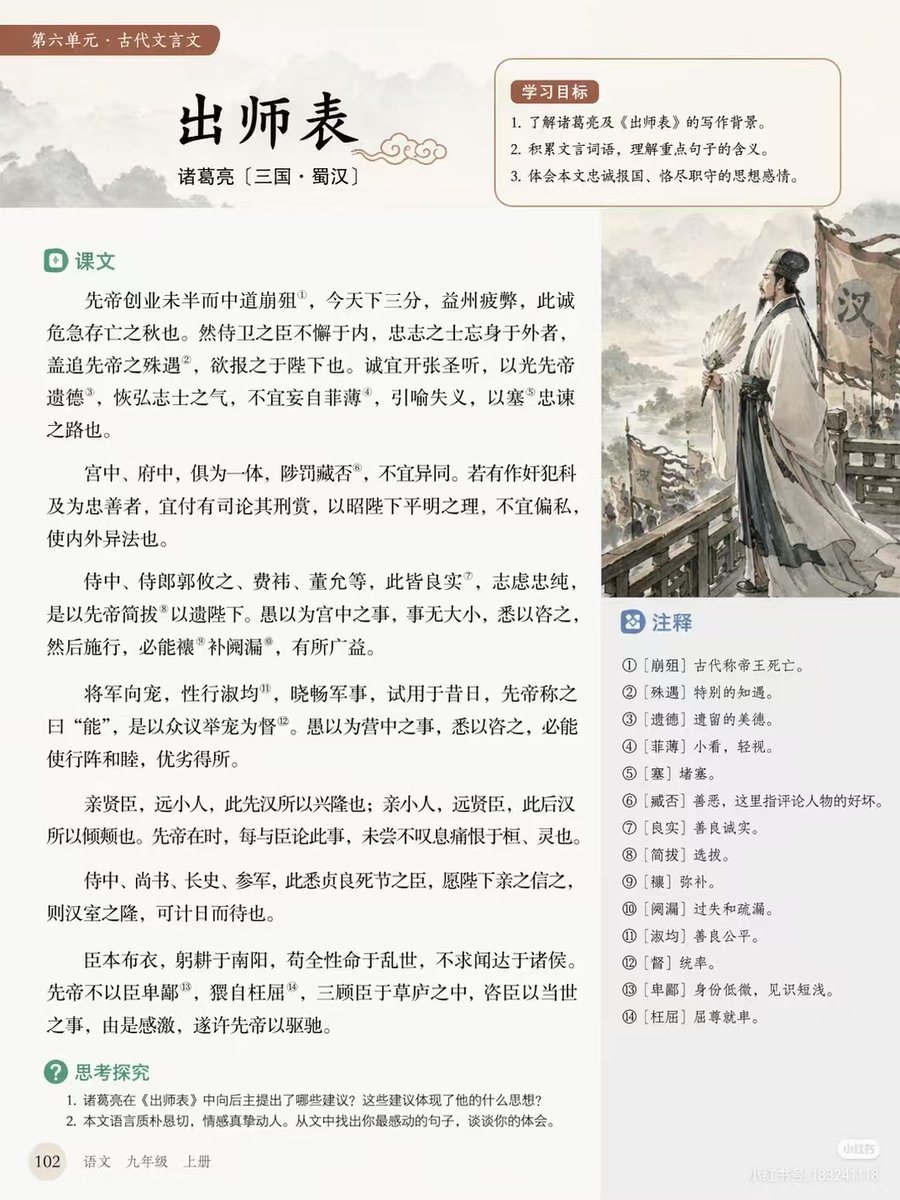
Educational Textbook Page Layout

Ready-to-edit educational textbook page layout image prompt.

Ready-to-edit educational textbook page layout image prompt.
Prompt

{ "type": "educational textbook page layout", "style": "clean typography, traditional Chinese aesthetic, soft beige background", "header": { "tag": "第六单元 · 古代文言文", "title": "{argument name=\"main title\" default=\"出师表\"}", "author": "{argument name=\"author info\" default=\"诸葛亮 〔三国 · 蜀汉〕\"}" }, "layout": { "sections": [ { "title": "学习目标", "position": "top-right box", "count": 3, "description": "numbered learning objectives with a soft red background" }, { "title": "课文", "position": "main left column", "count": 6, "description": "paragraphs of classical Chinese text with 14 superscript annotation numbers" }, { "title": "注释", "position": "middle-right box below illustration", "count": 14, "description": "numbered glossary definitions matching the text superscripts" }, { "title": "思考探究", "position": "bottom-left", "count": 2, "description": "numbered discussion questions" } ], "illustration": { "position": "middle-right", "description": "{argument name=\"illustration subject\" default=\"Zhuge Liang holding a feather fan, standing before an army with Han banners, ink wash painting style\"}" }, "footer": { "page_number": "102", "book_info": "{argument name=\"textbook info\" default=\"语文 九年级 上册\"}" } } }

Prompt structure
  • Modelgpt-image-2
  • Use casesocial-media-post
  • Stylewatercolor, editorial, minimal
  • Aspect ratioFlexible
Best used for
  • Use casesocial-media-post
  • Stylewatercolor, editorial, minimal
  • Recommended specs1:1, 4:5, 16:9, or 9:16
  • ModelGPT Image 2
How to customize

Use this Educational Textbook Page Layout prompt as a base. Replace the subject, product details, environment, lighting, brand colors, and output ratio while keeping the social-media-post intent and watercolor, editorial, minimal direction stable.

Editable variables
  • SubjectReplace the product, person, scene, interface, or object being generated.
  • Use caseKeep or rewrite the destination as social media post, ad creative, cover image, poster, or ecommerce hero.
  • FrameChoose 1:1, 4:5, 16:9, or 9:16 based on the final placement.
  • Brand cuesAdd colors, materials, props, text-safe space, and the platform where the image will be used.
Recommended specs

Choose the frame for the destination first, then use 1K, 2K, or 4K based on output quality needs. Product images and posters usually benefit from higher resolution.

Pre-generation checklist
  • CheckSubject, lighting, composition, and frame are specific enough to review.
  • CheckText-safe space is included when the image will carry a headline or ad copy.
  • CheckResolution, credit cost, and final destination are checked before generation.
Why this prompt works

Educational Textbook Page Layout works because it starts from the image job, then controls subject, composition, lighting, style, and frame. It is best for social media post while keeping the watercolor, editorial, minimal direction stable.

Common questions
  • Can I use it directly?Yes. Replace the subject, brand cues, and frame, then generate in Image2Studio.
  • Which ratio should I use?Choose 1:1, 4:5, 16:9, or 9:16 based on the destination.




