
Image2Studio
Examples

gpt-image-2

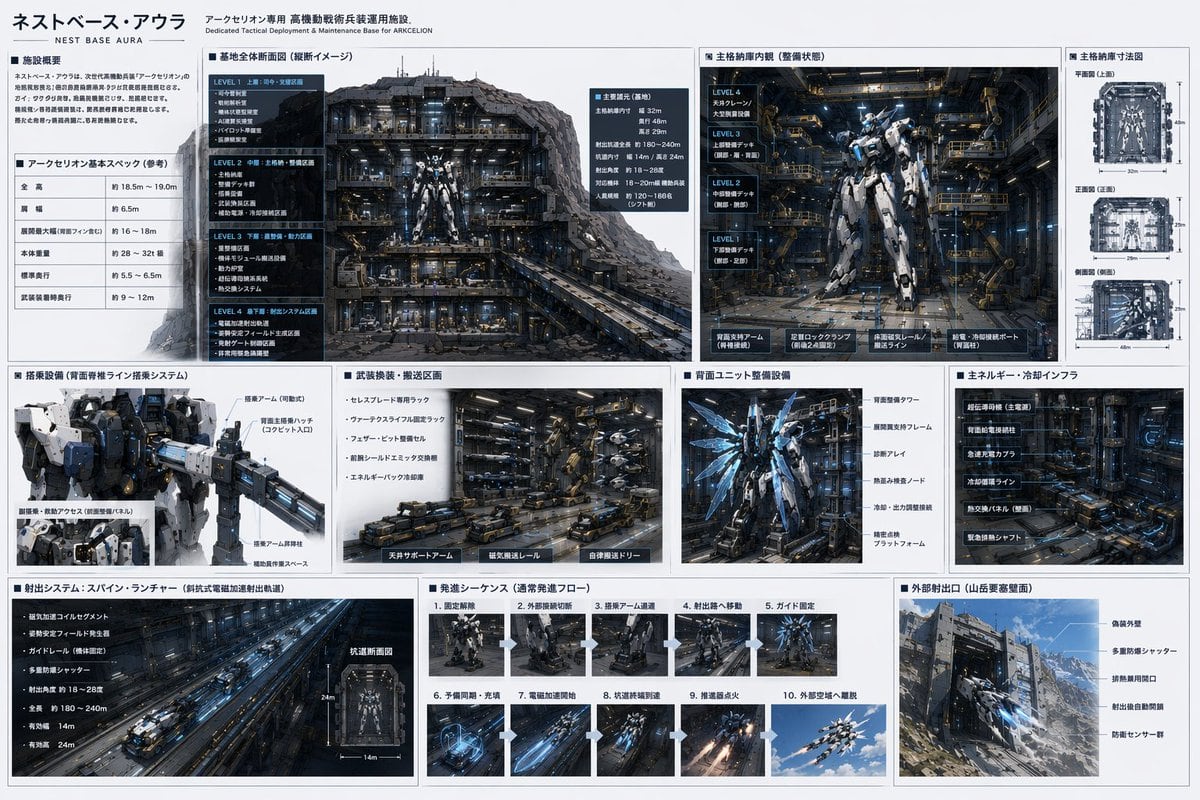
Sci-fi Mecha Base Technical Specification Sheet

Ready-to-edit sci-fi mecha base technical specification sheet image prompt.

Ready-to-edit sci-fi mecha base technical specification sheet image prompt.
Prompt

{ "type": "sci-fi mecha base technical specification sheet", "style": "{argument name=\"ui theme\" default=\"technical schematic with dark grey panels and white text\"}", "header": { "title": "{argument name=\"base name\" default=\"ネストベース・アウラ\"}", "subtitle": "Dedicated Tactical Deployment & Maintenance Base for {argument name=\"mecha name\" default=\"アークセリオン\"}" }, "layout": { "structure": "grid-based infographic with 3 main horizontal rows", "row_1": [ { "title": "Facility Overview & Basic Specs", "content": "2 text blocks including a specification table with 5 rows" }, { "title": "Base Overall Cross-section", "content": "Large cutaway view of the underground base showing 4 distinct levels (LEVEL 1 to LEVEL 4)" }, { "title": "Main Hangar Interior", "content": "Front view of a {argument name=\"mecha color scheme\" default=\"white and blue\"} mecha in a maintenance bay, with 4 deck levels labeled on the left" }, { "title": "Hangar Dimensions", "content": "3 orthographic wireframe-style views (Top, Front, Side) with dimension lines" } ], "row_2": [ { "title": "Boarding Equipment", "content": "Close-up of the mecha's upper body and cockpit boarding arm" }, { "title": "Weapon Transport Area", "content": "Detailed view of automated transport vehicles and magnetic rails" }, { "title": "Rear Unit Maintenance", "content": "Back view of the mecha showing glowing blue thrusters and maintenance frames" }, { "title": "Energy & Cooling Infrastructure", "content": "Dense machinery wall with pipes and super-conducting equipment" } ], "row_3": [ { "title": "Launch System: Spine Launcher", "content": "Long perspective view of an electromagnetic catapult tunnel, plus 1 small cross-section diagram" }, { "title": "Launch Sequence", "content": "Grid of 10 sequential images showing the mecha's launch process step-by-step" }, { "title": "External Launch Port", "content": "Exterior view of the base built into a {argument name=\"base location\" default=\"Mountain fortress\"} wall, showing camouflage armor and blast doors" } ] } }

Prompt structure
  • Modelgpt-image-2
  • Use casesocial-media-post
  • Styleeditorial, cyberpunk
  • Aspect ratioFlexible
Best used for
  • Use casesocial-media-post
  • Styleeditorial, cyberpunk
  • Recommended specs1:1, 4:5, 16:9, or 9:16
  • ModelGPT Image 2
How to customize

Use this Sci-fi Mecha Base Technical Specification Sheet prompt as a base. Replace the subject, product details, environment, lighting, brand colors, and output ratio while keeping the social-media-post intent and editorial, cyberpunk direction stable.

Editable variables
  • SubjectReplace the product, person, scene, interface, or object being generated.
  • Use caseKeep or rewrite the destination as social media post, ad creative, cover image, poster, or ecommerce hero.
  • FrameChoose 1:1, 4:5, 16:9, or 9:16 based on the final placement.
  • Brand cuesAdd colors, materials, props, text-safe space, and the platform where the image will be used.
Recommended specs

Choose the frame for the destination first, then use 1K, 2K, or 4K based on output quality needs. Product images and posters usually benefit from higher resolution.

Pre-generation checklist
  • CheckSubject, lighting, composition, and frame are specific enough to review.
  • CheckText-safe space is included when the image will carry a headline or ad copy.
  • CheckResolution, credit cost, and final destination are checked before generation.
Why this prompt works

Sci-fi Mecha Base Technical Specification Sheet works because it starts from the image job, then controls subject, composition, lighting, style, and frame. It is best for social media post while keeping the editorial, cyberpunk direction stable.

Common questions
  • Can I use it directly?Yes. Replace the subject, brand cues, and frame, then generate in Image2Studio.
  • Which ratio should I use?Choose 1:1, 4:5, 16:9, or 9:16 based on the destination.




